
Introduction
Spreadsheets, particularly Microsoft Excel have long been central to accounting teams. But as firms grow and compliance expectations tighten, problems with Excel and other spreadsheets are becoming harder to ignore. From unnoticed formula mistakes to collaboration breakdowns, these issues can cause inaccurate numbers, wasted time and increased audit risk. This article details the most common Excel and spreadsheet problems in accounting workflows and explains practical steps teams can take to reduce risk and improve efficiency.
Common Issues with Spreadsheets and Excel
1. Human errors that go unnoticed

Research and practical articles from the Institute of Chartered Accountants (ICAEW) show common Excel formula and rounding pitfalls that can silently distort figures. See ICAEW’s Excel community guidance for examples and mitigation tips. Manual data entry, broken formulas and mis-linked cells are common causes of spreadsheet error in accounting. Research consistently finds a high incidence of faults in real-world spreadsheets — and a single hidden error can lead to material misstatements. To reduce mistakes, use structured templates, validation rules and automated checks rather than relying on manual inspection alone.
2. Version-control chaos

Emailing Excel files back and forth creates multiple versions and uncertainty over which is the latest. When team members edit different local copies, inconsistencies appear and audit rework rises. A single source-of-truth (cloud storage or a cloud working-papers system) prevents duplication and makes version history auditable.
3. Limited collaboration across teams
Traditional Excel workflows were designed for single-user use. Remote or distributed teams often spend time reconciling manual edits, which reduces productivity and increases the risk of duplicate work. Cloud working papers provide simultaneous editing, tracked changes and user permissions to remove these bottlenecks.
4. Security and Compliance Risks
Spreadsheets kept on local drives or sent by email lack enterprise security: no encryption, limited audit trails and often no role-based access. That makes GDPR breaches and unauthorised changes a real threat. Use platforms that provide encryption at rest and in transit, granular permissions and full audit logs. ICAEW also highlights the dangers of untrusted add-ins or XLL files and the need for secure handling of Excel workbooks.
5. Time-consuming review and approval cycles
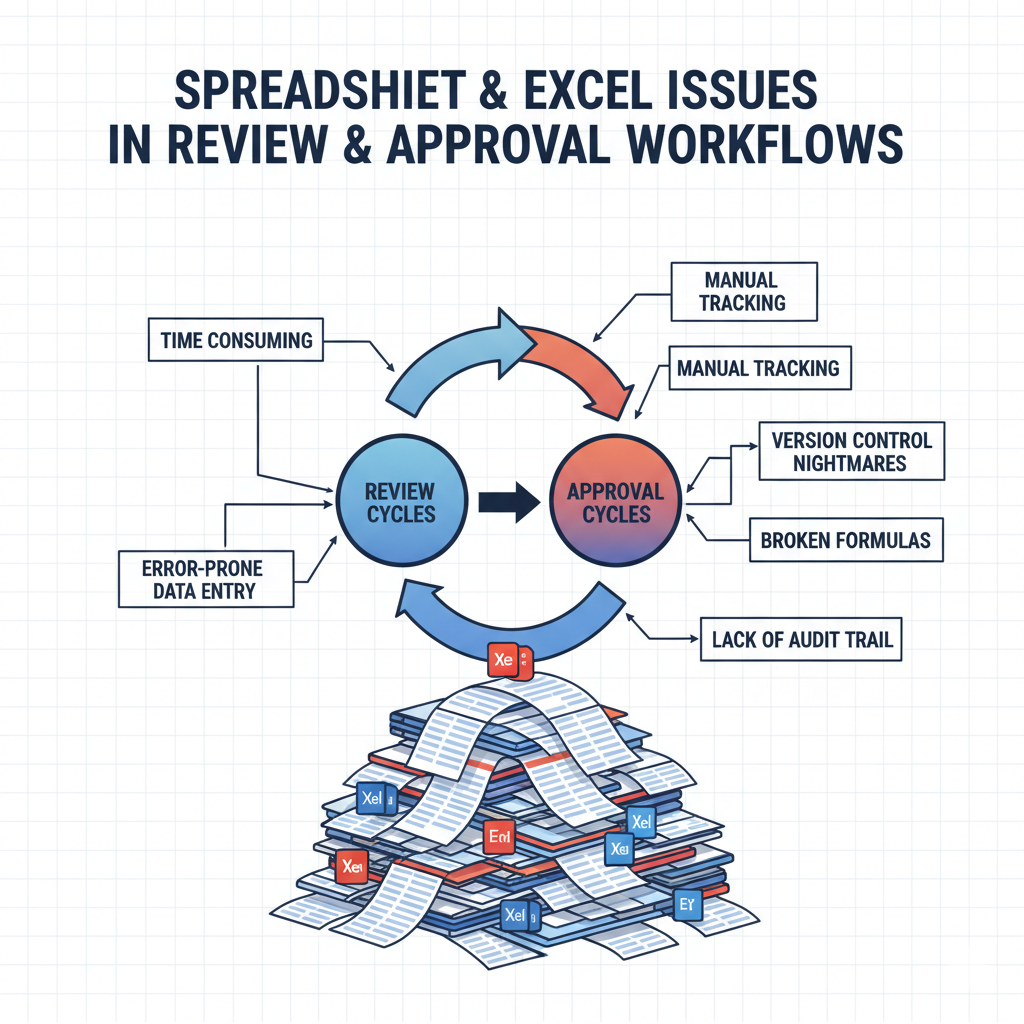
Auditors and reviewers spend hours checking links, reconciling entries and validating formulas. Without an integrated review trail, approvals are slow and error-prone. Automated review tools and built-in approval workflows drastically reduce time spent on checks.
6. Poor scalability and limited analytics
Technical analyses explain that spreadsheets can have security vulnerabilities and scalability limits, making them a poor fit for enterprise-level roll-ups or cross-client analytics. Spreadsheets struggle with large datasets, multi-client reporting and cross-engagement analytics. They do not provide dashboards, automated visualisation or easy roll-ups across clients. Modern platforms deliver dashboards, AI summaries and cross-engagement analytics that Excel alone cannot provide.
The Smarter Alternative: cloud working papers and automation
For firms that require precision, collaboration, and compliance, moving away from traditional Excel files and generic spreadsheets towards a cloud-based working papers system can significantly reduce risk and improve efficiency.
Unlike Excel, which relies heavily on manual input and version control, a cloud working papers platform offers built-in validation, automated review trails, secure collaboration, and centralised data management ensuring every figure and adjustment is traceable.
By automating reconciliation and version tracking, accountants can focus more on advisory work rather than repetitive administrative tasks. This shift not only improves accuracy but also strengthens audit transparency and client confidence.
For a side-by-side view, see cloud working papers software vs spreadsheets. Once the file is out of Excel, AI working papers can check it too: how AI is transforming working papers for UK accountants.
For a detailed step-by-step approach, see our guide on how to migrate from Excel and spreadsheets to a cloud working papers system covering planning, data transfer, and best practices for accountants.
FAQs
Q1: Why do accountants still use Excel?
Answer: Because it is familiar, flexible and widely available. However, Excel alone lacks many enterprise features (audit trails, granular permissions and automated validation) required for regulated work.
Q2: What are the most common Excel problems in accounting workflows?
Answer: Human errors, version confusion, weak collaboration, security risks, slow approval cycles and limited scalability.
Q3: How can firms reduce errors in Excel and spreadsheets?
Answer: Introduce validation, structured templates, version control, automated reconciliation, and consider a cloud working-papers platform with AI checks.
Q4: Are cloud working-papers platforms secure?
Answer: Yes, reputable cloud working-papers platforms like papercare working papers offer encryption, role-based access and full audit logs to help meet GDPR and audit requirements.
Q5: Why should firms move from spreadsheets to cloud working papers?
Answer: Migrating to cloud working papers improves accuracy, collaboration and compliance by automating version control, validation and approvals.
About the author
Written by the Papercare Team. Papercare is the AI accountant for UK accountancy practices: AI accounting software that imports the client’s data, builds AI working papers that tie, and raises review points before the partner opens the file. It was built inside a live UK practice by founder Shrineel Patel FCCA. More about Papercare